It may seem easy until one slow scanner or dead printer becomes responsible for a long line of people waiting at the checkout counter. The right Retail POS hardware ensures that billing is quick, payments are correct, receipts are legible, and employees are efficient during peak hours. That’s a real workload purchase, and not based on price or looks. The requirements for devices are different for each business in the supermarket, pharmacy, fashion store, and small convenience shop. Your reliable equipment should also be compatible with your POS software, network, tax needs, and expansion goals. This article focuses on picking reliable payment devices, scanners, printers, POS terminals and other peripherals that you will be using daily in your retail business.
Start With How You Sell, Not the Catalog
Before comparing brands, map what actually happens at your checkout. Count daily transactions, peak hour bills, average basket size, barcode volume, and the number of active counters. Then consider whether staff always bill from one location or need mobile checkout on the shop floor. Retail POS hardware should match these operating conditions. A grocery store may need fast presentation scanning and multiple tills, while a boutique can work well with a handheld scanner and one compact terminal. This approach cuts unnecessary spending and reduces equipment mismatches.
POS Terminals: The Core of the Setup
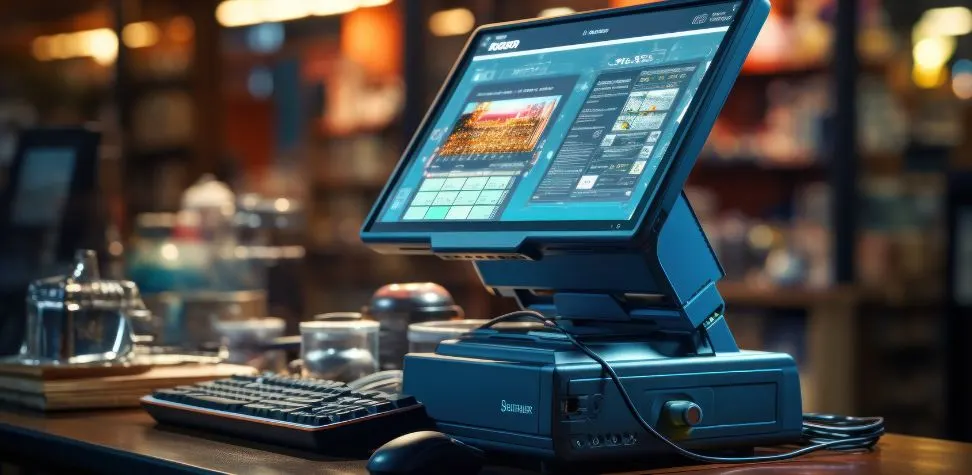
Your terminal needs to have sufficient speed, ports, durability and connectivity to perform all the functions that your checkout software performs.
- Choose fixed or mobile terminals by workflow: A countertop terminal is ideal for a permanent billing stand and Android handhelds or tablets are great for table top selling, queue busting, pop ups, and assisted selling. The optimal Retail POS hardware configuration can be a mix of both.
- Match processing power to software load: Check the processor, RAM, storage type, screen response, and operating system. Inventory sync, loyalty lookups, payment integration, reporting, and billing should run together without visible lag.
- Check ports before purchase: Ensure adequate USB, Ethernet, serial, display and power connections are available for scanners, printers, cash drawers, customer displays, scales or other devices. Don’t rely on a succession of hubs at a high traffic till.
Barcode Scanners: Picking the Right Type
A scanner should align with your bar code formats, product shapes, checkout speed, and the distance that staff scans items.
Laser, CCD, and 2D Imager Scanners
Common (1D) barcodes are easily processed by laser scanners and LED based CCD models work well at short range. A 2D imager is capable of reading difficult labels, QR codes, phone screens and 1D codes, making Retail POS hardware more flexible for checkout requirements.
Handheld vs. Presentation Scanners
Handheld scanners are appropriate for apparel, pharmacies, hardware stores, and counters for bulky products. Presentation scanners remain stationary and are able to examine items as the cashier puts them in front of it, which is helpful in a supermarket or other busy checkout line during rush hours.
Wired vs. Wireless
Wired scanners offer steady power, simple setup, and fewer connection problems at fixed counters. Wireless or Bluetooth models give staff more movement for shelf checks, bulky products, or mobile selling, but they require charging and reliable wireless coverage throughout shifts.
Receipt and Label Printers
The choice of a printer can impact checkout times, readability of receipts, accuracy of labels, maintenance requirements and the way busy periods are dealt with by staff.
Thermal vs. Impact Printers
Thermal printers are fast, quiet and easy to maintain as they don’t require ink ribbon. Useful in cases where duplicate copies are needed, but in heat and grease, the impact printer is slower. Select according to environment, document requirements and anticipated volume.
Connectivity Options
USB is appropriate for a single terminal directly connected to a single printer. Ethernet may be preferable for high volume or shared network applications due to its stable access. If there’s a network good enough, there’s Bluetooth and Wi-Fi.
Cash Drawers, Card Machines, and Other Peripherals
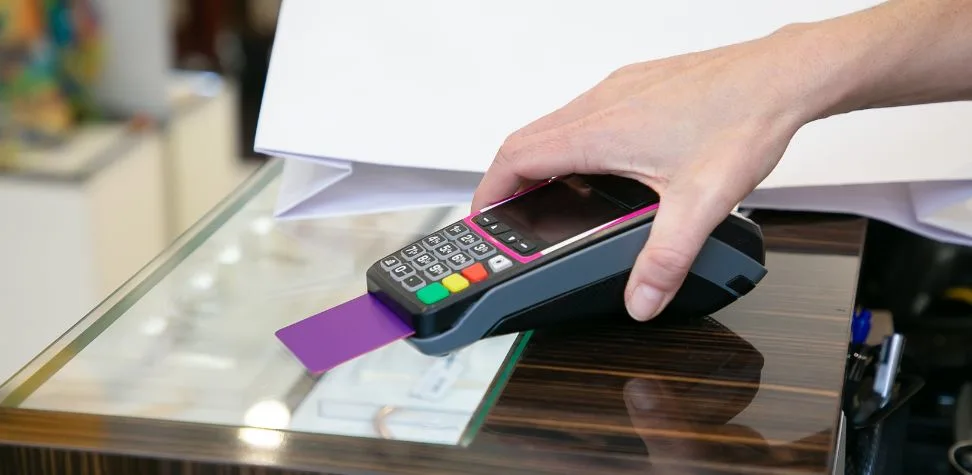
A dependable counter needs more than a terminal and printer. Cash drawers must be sufficiently robust, sized and fit as to receive the printer trigger connection. Credit Card machines need to be able to handle secure chip, PIN, contactless and reconciliation workflows that your payment provider recognizes. Integrated payment terminals can reduce manual amount entry and cashier errors. Depending on your store, Retail POS hardware may also include weighing scales, customer facing displays, label printers, pole displays, UPS backup, and kitchen printers. Check every connector and integration before buying, because peripheral compatibility problems often appear only after installation.
Connectivity and Compatibility Before You Buy
Even the best device will be a poor purchase if your point of sale software doesn’t support it. Before ordering, seek help from your software provider in terms of models for terminal, scanner, printer, payment and scale. Verify the versions of the operating systems, the printer drivers, the USB ports, the Ethernet requirements, the Bluetooth support and the network setup. Wired Ethernet can help minimize random disconnections in fixed checkout lines. Mobile arrangements require robust wireless connectivity and charging arrangements. When the trading hours are reached, if any device fails, it will be easier to maintain and troubleshoot the device if it’s the same hardware for all stores. When it comes to staff training, spare device management, maintenance, and troubleshooting, it will be easier if all the stores are using the same device.
Budgeting: Where to Spend and Where to Save
Spend more on devices that can stop sales when they fail. The primary terminal, network equipment, and frequently used payment hardware deserve stronger build quality, reliable support, and sensible warranty cover. In smaller volume stores, you could reduce the number of scanners or other simple peripherals and not impact performance. Don’t compare the invoice price only, but the total ownership cost. Cover thermal rolls, ribbons, replacement print heads, batteries, cables, annual servicing, warranty, and downtime risk. Then there is the cost of the hardware at retail point of sale systems, which may be more expensive initially, but could save a lot of money down the road in repairs, restarts and emergency replacements.
Simple Features That Improve Checkout Efficiency
Small hardware Features details can remove repeated friction from every sale and make a noticeable difference during a rush.
- Use fast loading printers with auto-cutters: Quick paper replacement and automatic cutting reduce cashier handling time and keep the counter tidy when receipt volume climbs.
- Add customer-facing displays: This method is helpful for customers to see the transaction in real time including all items, discounts, totals and change which can help minimize avoidable billing disputes.
- Protect the counter with backup power: Use a UPS for the terminal, router and network equipment to maintain vital checkout equipment during brief power outages and to avoid sudden shutdowns.
Keep Every Transaction Running Smoothly with Gokul Retail POS System
Your checkout should not depend on hardware that feels unpredictable at peak time. Gokul POS System helps businesses build a connected billing environment where terminals, barcode workflows, printing, inventory, and transaction processing work together more smoothly. Whether you operate one counter or manage growing retail locations, the right setup can shorten checkout time and reduce everyday equipment friction. Pair Gokul with compatible Retail POS hardware to create a practical, scalable counter designed for real store traffic. Choose equipment with purpose, configure it correctly, and keep every sale moving with confidence.

Founder & CEO of Gokul System Solutions: Based in Schaumburg, Illinois, he leads a company providing Point of Sale (POS) and payment solutions for retail industries in the USA, Canada, UK, and India.