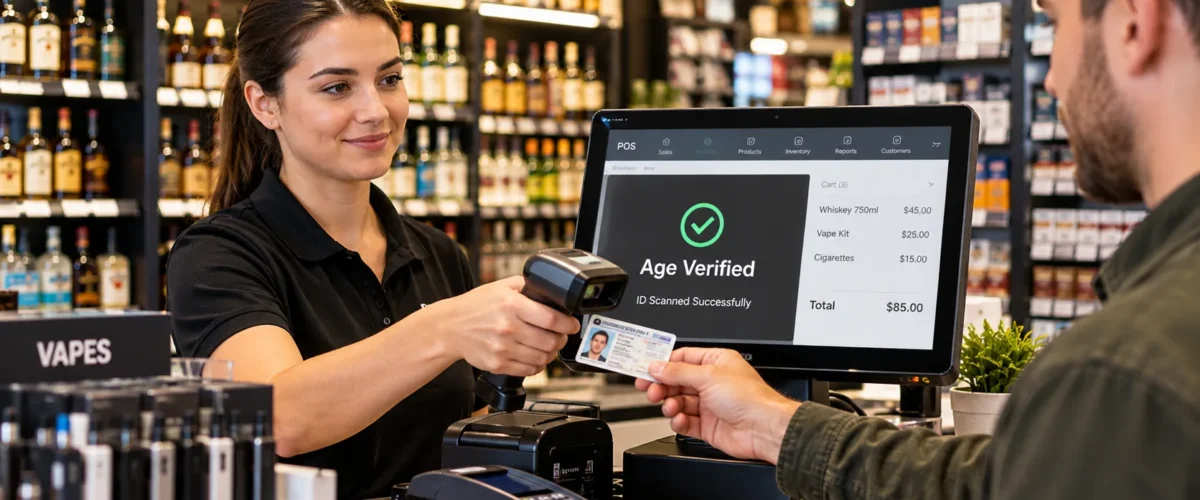
When selling liquor, vape products, cigarettes, cigars, or any other nicotine products, age verification is the core component of every restricted sale. A cursory glance can lead to an unnecessary risk, especially during rush hour or when new employees are on shifts. This can be easier if you use a Retail Store POS with ID scanning, which will scan the date of birth information, ask questions about age, and record age verification activities. Technology should be used in addition to staff judgment, ID inspection, and local legal requirements, but not replacing them. This will keep licenses up to date, but still make it possible to check them out. This article focuses on the importance of inventory integration, employee accountability, customer experience, audit trails, and POS controls for age regulated retailers.
Understand Age Verification in Liquor, Vape, and Tobacco Retail Stores
Requesting ID does not come under a systemic ID checking procedure. Staff should follow regulations about the product, location, and acceptable ID. In the U.S., e-cigarettes are not allowed to be sold to minors. There is a law against selling tobacco to anyone under 21 in the U.S., including e-cigarettes. Since September 30, 2024, retailers need to check the age of individuals under 30 using photo identification when they attempt to purchase tobacco products. A Tobacco Store POS can be configured to have limited SKU’s and an age check. Written procedures are still in place even for ID’s that are expired, have been damaged, scanned incorrectly, and other exceptions.
Simplify age verification with ID Scanning
Connect the age check process directly to the checkout, allowing staff to quickly, automatically, and accurately confirm that certain items are restricted.
Compare Manual ID Checks With POS Integrated Scanning
Manual checks involve employees checking dates of birth, viewing photos, security, and manually calculating age. A Tobacco Store POS System with scanning is able to read encoded ID information, automatically age, and record the verification record in a prompt manner for review.
Choose Scanning Features That Fit Your Retail Store
You will need to select scanners that are able to read various 2D barcodes and can be integrated into your registered software. Others include help parsing birth date, age restrictions, what to do if a scan fails, employee identification, and intuitive clues for manual scanning if it can’t scan at checkout.
Automate Compliance Protocols
Configure restricted products that need to be verified before a checkout proceeds. Assign set manager credentials for exceptions, set transaction time stamps, and set failure to pass logging. The same rules are applied to all of the shifts, and not memorized or guessed.
Stay Compliant with Liquor, Vape and Tobacco Regulations
Implement store policy to repeatable actions at the cashier level; rely on qualified compliance experts for State, local, licensing, and product specific requirements.
Mark all restricted SKU’s: Ensure proper age check procedures with Liquor through Liquor Store POS and other regulated products are marked correctly.
Establish acceptable ID procedures: Ensure staff is trained on what types of government issued IDs are acceptable, the expiration dates, damaged IDs, out of state IDs, and foreign IDs.
Maintain compliance records readily available: Ensure records of verification, refusal, override, void, return, and staff activity are readily available to support managers during inspections and investigations.
Implementing POS controls to build employee accountability
Restrict employee access; designate and record employee actions, rather than solely depending on who is behind the counter
Role Based Access and Approval Workflows
Set permissions for cashier, supervisor, and manager according to their responsibilities. Standard checks are applicable for cashiers, with restricted refunds and elevated approvals for exceptional ones. This will ensure clear transparency of sensitive daily transactions, establishing a clear chain of responsibility.
Transaction Logs and Audit Trails
Document the time of transaction, employee identification, verification result, and any overrides approved. A detailed audit trail enables the manager to review any suspicious activity, verify complaints, and allows them to keep all information about their store in hand to present to the licensing authorities.
Staff Training and Compliance Monitoring
Educate staff on the scanning procedures, visual identification of the ID, refusal/ escalation language. Check logs for unchecked, unexpected override errors and repeated errors regularly. It can be easy to make small mistakes that can be compounded over time and fixed during short sessions.
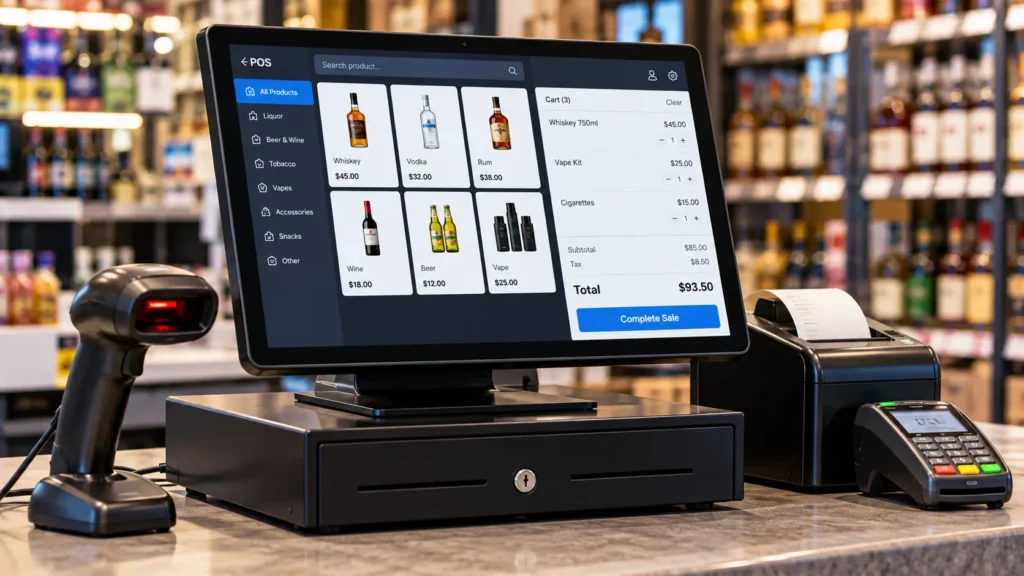
Improve Customer Experience Without Compromising Compliance
If appropriate configuration is made, the age checking system can be a routine procedure at the Retail Store POS system. The cashier will read the ID when the customer shows their card and, as long as the conditions are satisfied, they will sell the product to the customer. It also comes with clear instructions that out of date or illegible IDs need to be manually reviewed. This further helps consumers who are well qualified to buy and makes their purchase experience seamless and streamlined. Also, the POS system needs to provide certain cues that politely refuse customers the product they have ordered without causing any scene.
Protect Your Business with a Secure POS System
Age verification procedures are sensitive, meaning that the employees need to be authenticated, transactions need to be tracked, workflows need to be traced, and even data from authentic IDs needs to be captured. Your point of sale should, therefore, include secure access controls, backed up security, role based permissions, and a policy on data retention. The system should also make it easy to review overrides, failed scans, refunds, and unusual activity. Strong security supports compliance, protects operational records, and reduces the risk of unauthorized employees changing settings or bypassing restricted sale controls.
Integrate Age Verification with POS Inventory and Sales Management
Connect compliance with the same product, inventory, and reporting data your team already uses, rather than treating ID checks as a separate task.
- Link restricted status to inventory: Use the item database to tag regulated products to ensure that all new and existing age restricted SKUs follow the proper checkout workflow.
- Combine sales and verification reporting: Incorporate restricted product sales with verification, refusal, employee, void, and override activity into the Retail Store POS for greater operational visibility.
- Control new product setup: Require managers to confirm age restrictions when adding new vape, tobacco, nicotine, or liquor SKUs, reducing the chance that a newly entered item is sold without a required prompt on easily Vape Shop POS.
Strengthen Retail Compliance With Gokul Retail Store POS System
Gokul POS adds sales, inventory, employee activity, reporting, and ID scanning into a controlled checkout environment for age restricted retailers. It has retail POS functionality of ID scanning, tobacco scan data, inventory control, real time reporting, cloud backup, multi store management, and sales analytics. Together, these features can help liquor, vape, tobacco, and convenience retailers put together more transparent daily workflows and better oversight. Configure restricted products, train employees, review activity, and keep store operations easier to manage from one connected system. Visit Gokul POS to explore a setup built around your retail needs.

Founder & CEO of Gokul System Solutions: Based in Schaumburg, Illinois, he leads a company providing Point of Sale (POS) and payment solutions for retail industries in the USA, Canada, UK, and India.