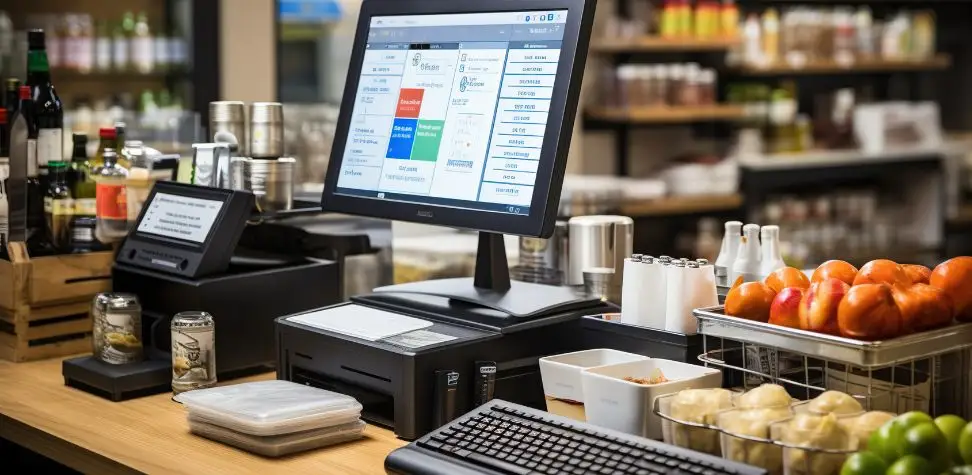
It’s challenging enough running one retail store. Three, five, or ten locations and simple daily tasks get a bit more difficult to manage. Stocks are shifted from one store to another. Staff work on various shifts. Prices change. Meanwhile, owners require proper information from each of the sites. A modern Retail Store POS system integrates all of those moving parts into a single unified system. Managers no longer have to pull various spreadsheets, terminals, and reports to see what is going on in the entire retail operation and can have a single, accurate picture. This article clarifies the inventory, customer, price, employee, reporting, and store operations connectivity in a multi-location POS.
Challenges of Managing Multiple Retail Stores
When you have multiple stores, it’s easy to overlook operational inconsistencies when each one is functioning independently.
- Inventory mismatches: A particular outlet might not have enough in demand products, whereas another outlet might have more in stock than they can sell.
- Inconsistent store operations: There may be confusion among staff and customers due to different pricing methods, different discounts, different employee procedures, etc., and different records of products.
- Scattered business data: Analyzing information such as sales, stock, labor, refunds, and store performance is more time consuming when it is stored in multiple systems.
Centralize Inventory Management Across Every Store
Centralized inventory provides the owner with a single inventory image rather than a number of disconnected store inventories.
Real-time inventory syncing
At a multi-location POS, the inventory will be updated each time a product is sold, returned, received or transferred. Managers can view the number of units left in each location without having to call stores individually. This Retail Store POS visibility is particularly beneficial with regard to high selling products. Staff are able to accurately answer stock questions, and do not accept orders for items that are out of stock.
Low-stock alerts
When products run out of stock, there is a risk of losing sales and customer satisfaction. Low stock reminders enable managers to take action before the stock runs out. This alert system can point out those products that will reach a certain reorder level. Retail teams can then place orders for replacing stock according to what was moved instead of guesswork, handwritten stock counts, or checking stock at the last minute.
Inter-location stock transfers
Not all places will be selling the products at the same rate. You might get a sale for a jacket downtown, but it won’t sell at another branch. Inter-location transfers enable the retailer to shift existing stock to where it is most needed. The POS tracks each item’s movement from one store to another, ensuring quantities remain accurate and a continuous record of all internal stock transfers.
Centralized purchasing
When decision makers can see inventory needs throughout the entire retail network, that makes buying a lot easier. Managers can streamline purchasing requests rather than having each branch make individual orders without knowing what others are doing. They can identify products needed by specific stores, review existing quantities, coordinate supplier orders, and reduce unnecessary purchasing caused by inaccurate or isolated stock information.
Multi-Location Customer Management and Loyalty Programs
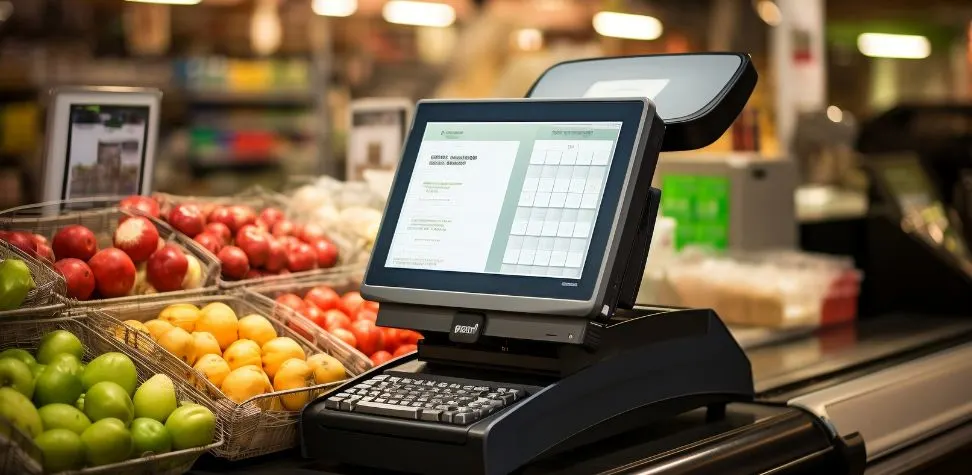
Most customers don’t consider each branch to be a standalone business. If someone buys at one store one day, he or she might go to another one the following week. A well connected Retail Store POS can keep a consistent customer profile, purchase history, purchase balance, and customer data across stores. Customers can redeem or collect rewards without having to visit a specific store where they enrolled. Retailers also get a wider picture of consumer shopping habits. It simplifies managing personalized offers, retaining customers, providing membership benefits, and offering targeted promotions across the brand.
Standardize Pricing, Products, and Promotions
Central control allows for all branches to adhere to the same product, pricing and promotion rules without having to constantly update manually.
- Consistent product records: Manage SKUs, product descriptions, tax, categories and other product information from a single place.
- Controlled pricing: Apply approved prices across selected or all stores while reducing accidental price differences between branches.
- Coordinated promotions: Plan discounts, seasonal offers, combinations and special offers for the participating stores in advance with clear end and start dates.
Improve Reporting Across the Business
Good reporting should tell owners more than yesterday’s sales total. A multi-location system can feed information from all branches, as well as provide each manager with individual branch data. They are able to benchmark revenue, transactions, average basket size, return, margins, inventory turnover, and other critical retail metrics. A Retail Store POS also makes underperforming areas easier to notice. Owners can compare locations using the same data structure and reporting period. Decisions about stock, staffing, promotions, and expansion can then be based on measurable store activity.
Supporting Retail Growth in Multiple Stores
Growing retailers need tighter operational control without making daily management unnecessarily complicated.
Multi-Store Access Control and Permissions
Not every employee needs access to every function. Permission controls can limit sensitive features according to job responsibility. Cashiers may process normal transactions, while supervisors handle returns and discounts. Store managers can access their location reports, while senior management views multiple branches. This separation reduces unnecessary access and creates clearer responsibility for important actions.
Centralized Employee Time Tracking Across Locations
Manually taking attendance becomes messy and laborious when staff operate across multiple branches. Centralized time tracking records log clock-in and clock-outs and working hours in one system. Managers can check employee and location attendance. It is also easier to spot when staff are late, working overtime, and when staffing patterns increases labor expenses in some stores.
Store-Wise Performance Analytics and Comparisons
Two stores with the same name can have entirely different results. Store-level analytics can provide answers to why. Management can make comparisons between sales, product movement, transaction values, returns, and other operational metrics for locations. These comparisons can highlight which branches are performing well, which product categories are not performing well, differences in local demand, and successful sales approaches that may be rolled out in other stores.
Secure Logins for Every Store and Employee
When shared passwords are used, it’s hard to find out who performed a transaction or altered important settings. Employee logins are better when individual employees log in. Transactions, overrides, refunds, discounts, and other transactions are able to be associated with approved users. Additional employee, terminal, and retail site installations also increase the risk of operating information being compromised with unauthorized access and permissions.
Choose the Right POS System for Multi-Location Retail Success
A POS shouldn’t be a burden on the back of expansion it has to make. It would be better if you choose beyond conventional checkout features. Look at inventory sync, centralized product management, employee permissions, customer profiles, loyalty features, purchasing, reporting, and inter store transfers. Also, try to know the ways through which new locations can be added. The right system should give headquarters broad control while allowing each branch to handle its normal daily work efficiently. Most importantly, your Retail Store POS should provide accurate information quickly enough for managers to act on it.
Keep Every Store Connected with Gokul’s Retail Store POS System
Managing several retail locations should not mean managing several disconnected businesses. Gokul helps bring essential store operations together so owners can maintain stronger control as their retail network grows. Control inventory across stores, products, and prices, examine and view store activity, manage employees, and have essential business data at the fingertips from a single location. Your team can focus more on customer service and less on keeping updates manually with improved visibility across branches. Select Gokul POS to create a more integrated retail network where all stores are based on the same dependable data.

Founder & CEO of Gokul System Solutions: Based in Schaumburg, Illinois, he leads a company providing Point of Sale (POS) and payment solutions for retail industries in the USA, Canada, UK, and India.